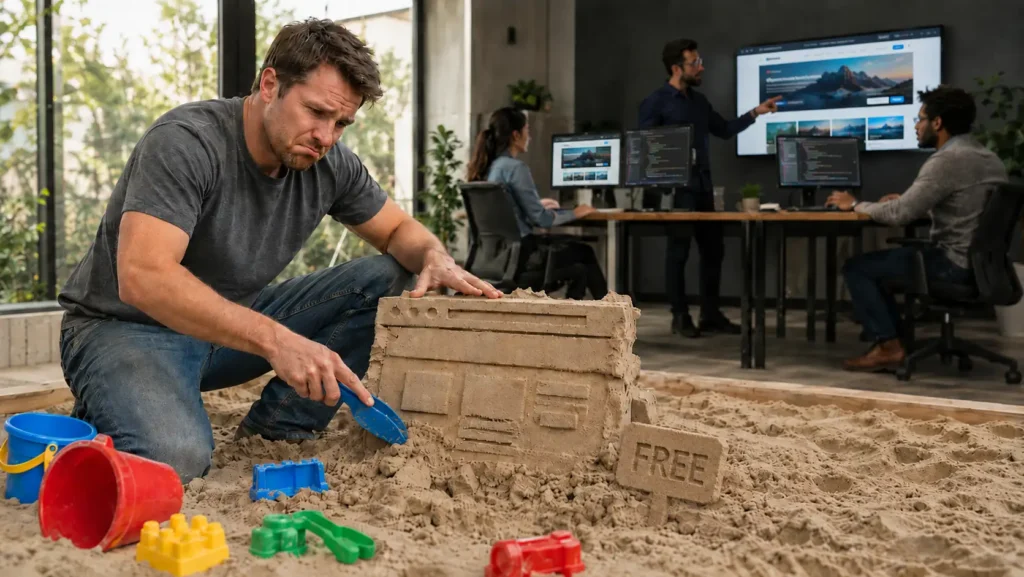
Developing a website for free sounds wonderful. It has the same energy as “I’ll start going to the gym on Monday” or “I’ll just watch one quick YouTube tutorial before bed.” Technically possible. Emotionally dangerous.
The good news is simple: yes, you can create a basic website for free. You do not need to be a programmer, designer, copywriter, SEO specialist, hosting expert, UX strategist, and part-time magician just to put a few pages online. Today, there are enough free tools to help almost anyone build a simple website.
The more honest answer is this: building a website for free is possible if you need a basic online presence. But building a serious online business for free is a completely different story. A website can be created quickly. A website that attracts customers, builds trust, ranks in search engines, and converts visitors into leads is much harder.
Let’s break it down without pretending that a free template and three cups of coffee will turn into Amazon by Friday.
Free Ways to Build a Website
Before you start building a website for free, it helps to understand what a website actually consists of. At the most basic level, a website needs two main things: a domain and hosting. The domain is your website address, like yourbusiness.com. Hosting is the place where your website files live. Think of the domain as your street address and hosting as the actual building. Without the address, people cannot easily find you. Without the building, there is nowhere to visit. Very philosophical, very digital, and slightly less exciting than buying real estate.
Now, here is the funny part: when people ask, “How can I create a website for free?”, they often skip this step completely. They imagine clicking three buttons, adding a logo, and suddenly having a professional online business. In reality, you first need to decide which route you want to take. Some routes include hosting and a free subdomain automatically. Others require you to buy a domain, choose hosting, install a CMS, and manage more technical details yourself.
The good news is that there are several popular ways to start. The bad news is that each “free” option has limitations hiding behind the curtain, wearing sunglasses and pretending not to exist.
Route 1: Use a Website Builder
The easiest route is to use a website builder. This is usually the best option for beginners who want to publish something quickly without learning technical setup. Platforms like Wix, Squarespace, Weebly, GoDaddy Website Builder, and similar tools allow you to create a website by choosing a template, dragging blocks around, editing text, uploading images, and clicking “Publish.”
This route is simple because hosting is already included. You usually do not need to separately buy hosting, install software, configure databases, or stare at a control panel wondering if you accidentally joined NASA. Most website builders give you a free subdomain, which means your website address may look something like yourname.wixsite.com/yourwebsite instead of a clean professional domain like yourbusiness.com.
For a beginner, that is not terrible. It works. It is online. You can send the link to people. You can test an idea. You can create a simple portfolio, personal page, or basic service page. If you can read instructions, click buttons, and avoid uploading a 14MB photo called “final-final-real-version-new2.jpg,” you can probably publish a website with a builder.
The basic steps are simple:
- Choose a website builder such as Wix, Squarespace, Weebly, or GoDaddy Website Builder.
- Create a free account.
- Pick a template that matches your industry or style.
- Replace the demo text with your own content.
- Add your logo, images, services, and contact information.
- Check the mobile version.
- Publish the website using the platform’s free subdomain.
This is probably the closest answer to “how to develop a website for free.” You are not really developing from scratch, though. You are assembling a website using a ready-made system. That is perfectly fine if your goal is a simple online presence. It is like buying furniture from IKEA. You did not become a carpenter, but you still have a table. Hopefully with all four legs.
The limitation is that website builders are not always ideal for long-term business growth. Free plans often come with platform branding, limited SEO control, limited design freedom, limited speed optimization, limited integrations, and fewer professional features. You can create an online presence, but growing a serious business on a free builder plan can feel like trying to run a marathon in flip-flops. Technically possible for a few metres. After that, pain.
Route 2: Use WordPress.com
Another popular option is WordPress.com. This is not the same as installing WordPress yourself on your own hosting. Many beginners confuse these two, and honestly, the naming does not help. It is like having two doors labelled almost the same thing, except one leads to a simple website platform and the other leads to a room full of plugins, themes, updates, hosting settings, and mild panic.
WordPress.com is a hosted platform. That means hosting is included, and you can start with a free plan. You choose a theme, create pages, write content, and publish your site. Like other free platforms, you usually get a free subdomain, such as yourwebsite.wordpress.com.
This can be a good route for blogs, personal websites, simple portfolios, or early-stage projects. WordPress.com gives you a more content-focused environment than many drag-and-drop builders. If your plan is to write articles, publish updates, or slowly build a small information-based website, this can be useful.
A simple WordPress.com process looks like this:
- Create a free WordPress.com account.
- Choose a website name.
- Pick a free theme.
- Create your main pages: Home, About, Services, Blog, and Contact.
- Add your text, images, and menu.
- Publish the site using the free WordPress.com subdomain.
The benefit is that you can start quickly without worrying about hosting. The limitation is that deeper customization, advanced SEO tools, plugins, professional branding, and business features usually require paid upgrades. So yes, you can start free. But if you want to grow properly, the platform will eventually show you the upgrade button so often that you may start seeing it in your dreams.
Route 3: Buy a Domain and Use Affordable Hosting
This route is not completely free, but it is one of the most realistic options if you want more control. If you are serious about building a business website, this is usually a better foundation than staying forever on a free subdomain.
You can buy a domain from popular registrars such as Namecheap, GoDaddy, Cloudflare Registrar, Porkbun, or Squarespace Domains. Then you can buy hosting from companies such as SiteGround, Hostinger, Bluehost, DreamHost, or similar providers. After that, you can install WordPress.org, choose a theme, and build your website with much more flexibility.
This route usually looks like this:
- Choose and buy a domain name.
- Choose a hosting provider.
- Connect the domain to the hosting account.
- Install WordPress.
- Choose a free or paid theme.
- Install necessary plugins.
- Create your pages.
- Publish and optimize the site.
This route gives you more ownership and flexibility. You can install plugins, customize the design, improve SEO, connect analytics, create landing pages, and build a more professional structure. However, it also requires more learning. You need to understand hosting, WordPress settings, security, backups, updates, plugins, page speed, and basic technical maintenance.
So, is this free? Not really. But compared with custom development, it can be very affordable. It is often the middle ground between “I want something professional” and “I do not want to sell my car to build a website.”
What Route Should a Beginner Choose?
For most beginners, the choice comes down to this:
- If you want the fastest and easiest free website – use Wix, WordPress.com, Google Sites, or another simple website builder.
- If you want a blog or content-based site – WordPress.com can be a good starting point.
- If you want more control and long-term business potential – buy a domain, get hosting, and use WordPress.org.
The important thing is to understand what you are really building. A free website builder can help you create an online presence. That means people can find a page with your name, service, contact details, and some basic information. That is useful. That is better than nothing. That is a starting point.
What You Can Realistically Build for Free
A free website can be useful when expectations are realistic. You can create something clean, simple, and functional if you are willing to learn and spend time adjusting everything.
A free website may work well for:
- Personal portfolios – photographers, students, writers, designers, or freelancers testing their first online presence.
- Small test projects – when you want to validate an idea before investing money.
- Simple informational pages – basic pages with your services, contact details, and short descriptions.
- Hobby websites – blogs, travel journals, personal projects, or community pages.
- Temporary landing pages – quick pages for events, announcements, or early-stage offers.
In other words, if you need a simple digital “business card,” you can probably build it yourself. You may struggle a little, argue with the template, resize the same image twelve times, and wonder why the mobile version looks like it was designed by a raccoon – but eventually, you can make something presentable.
With enough patience, YouTube, free templates, and AI assistance, you can create a basic website from scratch. It may not win design awards, but it can be functional.
The Problem With the Word “Free”
Now let’s talk about the elephant in the browser tab. Many people do not really want a free website. They want a free business machine.
They want a website that looks professional, loads fast, ranks on Google, brings traffic, converts visitors, builds trust, presents their services beautifully, works perfectly on mobile, integrates with analytics, supports advertising campaigns, and generates leads while they sleep.
That is not just “a website.” That is digital infrastructure.
And digital infrastructure is not free. Not because someone is trying to make it complicated, but because real online growth requires knowledge, experience, strategy, and constant improvement. If building a successful business online were truly free and easy, every company would have perfect SEO, every local service provider would be ranking first, and everyone would be drowning in leads. There would be no need for advertising, no need for SEO, no need for design, no need for professional development, and no need for marketing teams.
But reality is less cute.
The internet is competitive. Your website is not floating alone in a peaceful digital meadow. It is competing against businesses that invest in professional design, search engine optimization, copywriting, branding, paid ADS, content strategy, conversion tracking, and user experience.
A free website may put you online. It does not automatically make you visible.
A Website Is Not the Same as an Online Business
This is the part many beginners underestimate. A website is not the business itself. It is a tool that supports the business.
Think of it like opening a store. You can technically put a table in your garage, place products on it, and call it a shop. But will people find it? Will they trust it? Will they buy? Will they come back? Will they recommend it? Probably not unless there is a bigger strategy behind it.
The same applies online. A website needs more than pages. It needs purpose.
A serious business website should answer important questions quickly:
What do you offer? Why should people trust you? What makes your service better? Who is it for? What problem do you solve? What should visitors do next? Why should they choose you instead of the competitor they saw five seconds ago?
These questions are not answered by a random template alone. They require positioning, messaging, design, SEO, and conversion thinking.
This is where working with a professional team makes a major difference. A company like Effortless Marketing does not just “make a website.” The goal is to create a website that supports business growth, works with marketing strategy, and helps turn visitors into real leads.
Why Professional Website Work Is So Valuable
There is a reason web design, development, SEO, and digital strategy are highly demanded and well-paid skills. These are not random tasks that someone masters in one weekend. To become truly good in each area, professionals spend years learning, testing, failing, improving, and building real-world experience.
A good website involves many layers:
Design must look professional. Development must be clean and reliable. Content must be persuasive. SEO must be planned properly. The structure must make sense. The pages must load quickly. The site must work on mobile. Calls to action must be clear. Analytics must be installed. The entire experience must guide visitors toward action.
That is why hiring a professional team is not just about “paying someone to make it pretty.” It is about avoiding expensive mistakes.
A cheap or free website can become costly if it damages trust, confuses visitors, loads slowly, fails to rank, or brings no leads. A business owner may save money upfront but lose months of opportunities. That is like buying the cheapest running shoes and then wondering why your knees are filing a complaint.
If your business depends on online visibility, working with a digital marketing company in Calgary can help you avoid guesswork and build a stronger foundation from the beginning.
When DIY Makes Sense – And When It Does Not
Building a website yourself makes sense if you are experimenting, learning, testing an idea, or creating something simple. It can also help you understand how websites work, which is useful even if you later hire professionals.
DIY is a good choice when your budget is zero, your expectations are modest, and your website is not yet responsible for bringing serious revenue.
But if you are building a real service business, investing in marketing, trying to rank on Google, or expecting your website to generate leads, the “free” mindset becomes dangerous. At that point, you are not just making a page. You are building a sales asset.
For that, a professional website design service in Calgary can create something much stronger than a basic free template. The difference is not only visual. It is strategic.
Final Thoughts
So, how do you develop a website for free?
You choose a free builder, use a template, learn from tutorials, write your content, add images, publish your pages, and improve things step by step. For a simple online presence, this approach can work.
But if your real goal is to build a business online, “free” should not be the main strategy. A free website can be a starting point, not the final destination. It can help you test an idea, but it will rarely replace professional design, SEO, development, and digital marketing.
The honest answer is this: you can create a basic website for free, but you cannot build a serious online business on shortcuts alone. Free tools can give you a wrapper. Professionals help build the engine.
And in business, the engine matters much more than the shiny wrapper.